Package documentation in R
Nikita Gusarov
Previously we have seen how to create a package: how to structure your code, what files to include and how to test your code.
The next step in package creation is the documentation.
We have spoken about its existence, but only briefly.
Now we have some more time to describe the documentation mantainace procedure more in detail.
For this we are going to use the roxygen2 package, which is included in devtool suite.
Documentation within package
The documentation by convention is stored in the man folder of the package’s root directory.
By default, one can populate this folder by hand, which means writing and maintaining multiple documentation entries.
The help files are stored in plain text format inside separate .Rd (R documentation) files.
Let’s create a simple testing package, like in previous posts and take a look at examples generated by package.skeleton() function.
We start by loading the devtools meta-package:
# Load packages
library(devtools)
## Le chargement a nécessité le package : usethisThen we create our simple function and wrap it into package:
# Create function
my_function = function() {
    cat("Hello world!")
}

# Create package
package.skeleton(
    name = "mypackage",
    list = "my_function",
    path = ".",
    encoding = "UTF-8"
)
We then change our working directory for then newly created package’s root location:
# Move to package location
setwd("mypackage")
Don’t forget to unlink the already preloaded function from your environment, before working with the package:
rm(list = c("my_function"))Now let’s take a look at the contents of the man folder:
# List files in man
list.files("man")
## [1] "my_function.Rd" "mypackage-package.Rd"We see two documentation entries: one for our newly created function and another one with general description of our package. But how those files are organised from within? We can take a peek at their contents:
# First several lines
content = readLines("man/my_function.Rd")

# Print results
cat(content[1:5], sep = "\n")
## \name{my_function}
## \alias{my_function}
## %- Also NEED an '\alias' for EACH other topic documented here.
## \title{
## %% ~~function to do ... ~~The contents of package description (the man/mypackage-package.Rd) file look quite similar:
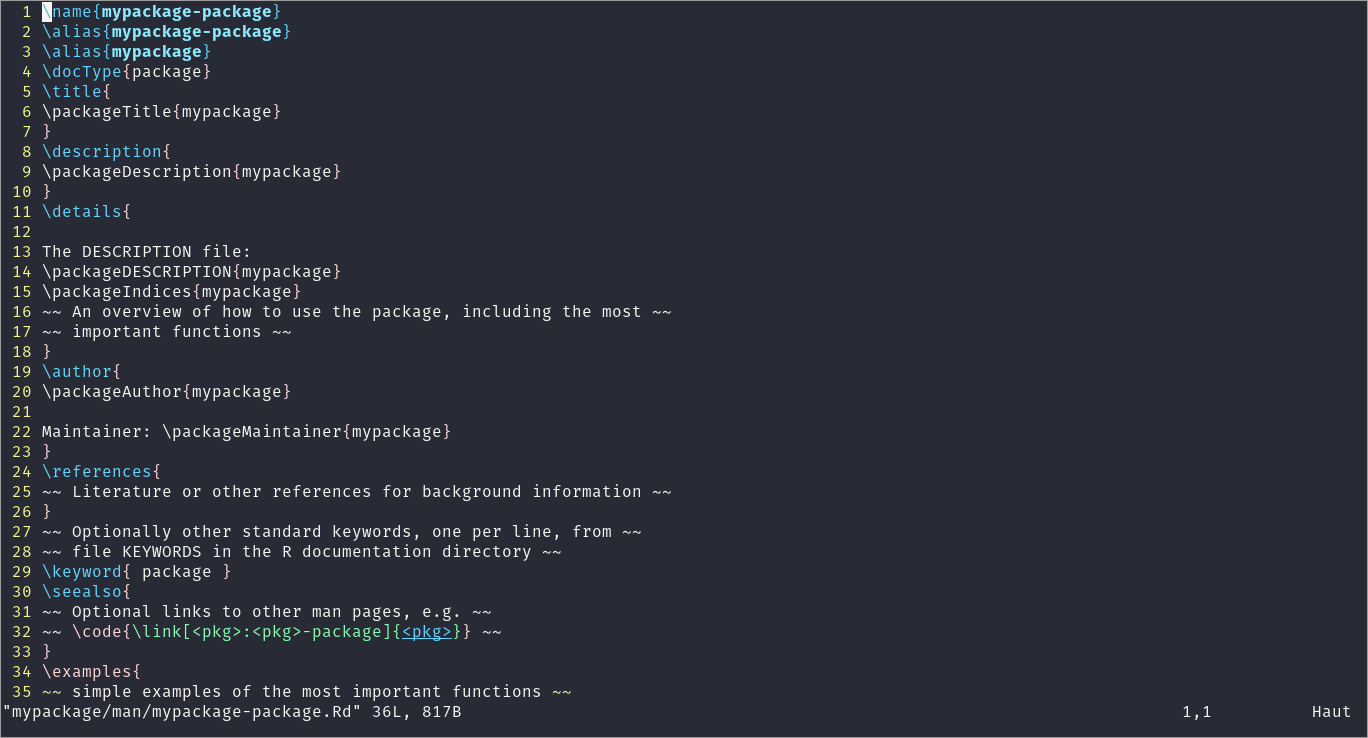
Package description
As you can notice, the format look a lot like LaTeX.
In fact .Rd files are a special file format based on LaTeX, which can be processed into a variety of formats, including LaTeX, HTML and plain text.
One can read more about this format on CRAN.
Unfortunately for us, editing such documents becomes very inconvenient once you have a lot of objects and functionalities in your package.
Obviously, it does not pose any difficulty to edit this files by hand in our case, but for larger projects it will become tiresome very fast.
To mitigate this problem, we can use the roxygen2 package.
But before proceeding with roxygen2 usage, we should perform some additional steps.
The package will never overwrite the existing documentation, which is assumed to be written by user.
Before roxygen2 will be able to write the changes we will need to delete the files created by the package.skeleton() function:
# Remove existing dovumentation
file.remove(c(
    "man/my_function.Rd",
    "NAMESPACE"
))
Using roxygen2
How does roxygen2 (or simply roxygen) work?
This is a toolset based on oxygen - a simple documentation toolset.
A nice and synthetic description may be found on the project’s website:
describe your functions in comments next to their definitions and
roxygen2will process your source code and comments to automatically generate.Rdfiles inman,NAMESPACE, and, if needed, theCollatefield inDESCRIPTION.
The package brings us an extremely useful feature to write our documentation in the same files as our code.
The comments of a specific format, added to our source .R scripts may be automatically converted into the documentation.
Such automated conversion helps to preserve consistency between the packages and respect the style of documentation.
Let’s see how we can add this functionality to our package.
Don’t forget that for now the contents of our source file (the R/my_function.R) contain only the bare minimum of code without any comments.
They look like:
# Print contents
cat(
    content <- readLines("R/my_function.R"),
    sep = "\n"
)
## my_function <-
## function() {
## cat("Hello world!")
## }As one can see: no comments, no documentation.
At this point we can add some inline documentation following the roxygen2 convention.
To do so, we should use special comment delimiters: #'.
They will mark which lines should be parsed by roxygen2.
For example, we can write following contents to our file
cat(
    "#' Print 'Hello world!'",
    "#' ",
    "#' @param ... No parameters required",
    "#' @return Cat 'Hello world!' to command line",
    "#' @examples",
    "#' my_function()",
    content,
    sep = "\n",
    file = "R/my_function.R"
)
Once we have modified the documentation directly inside our source code file, we should use roxygen2 to convert it to a .Rd file.
For this we may run:
# Create documentation (roxygen2::)
roxygen2::roxygenise()
This function requires an explicit specification of the roxygen2 namespace, which may not be that convenient.
Alternatively one can use the function which is provided by devtools:
# Create documentation (devtools::)
document(quiet = TRUE)
## First time using roxygen2. Upgrading automatically...## Updating roxygen version in /home/nikita/Documents/Personal/website_source/content/en/post/2022-02-11-package-documentation-in-r/mypackage/DESCRIPTION## ℹ Loading mypackageNow we can compare the corresponding .Rd file contents to the ones seen before:
# Print contents
cat(readLines("man/my_function.Rd"), sep = "\n")
## % Generated by roxygen2: do not edit by hand
## % Please edit documentation in R/my_function.R
## \name{my_function}
## \alias{my_function}
## \title{Print 'Hello world!'}
## \usage{
## my_function()
## }
## \arguments{
## \item{...}{No parameters required}
## }
## \value{
## Cat 'Hello world!' to command line
## }
## \description{
## Print 'Hello world!'
## }
## \examples{
## my_function()
## }As we can see, the new documentation .Rd entry corresponds to specification provided in our source file.
Here is an example of how the corresponding entry will be rendered when we call for help() on this function:
# Help file rendering
help(my_function)
Once one becomes familiar with adding documentation to the source files it becomes extremely easy to add and modify the documentation to your R package.